Make your mark.
Arrows, shapes, freehand, and highlights. Redact what shouldn’t leave your screen.
Show what you mean.
Capture, annotate, and explain.
Ready for Codex and Claude.
macOS 26 or later · Apple silicon
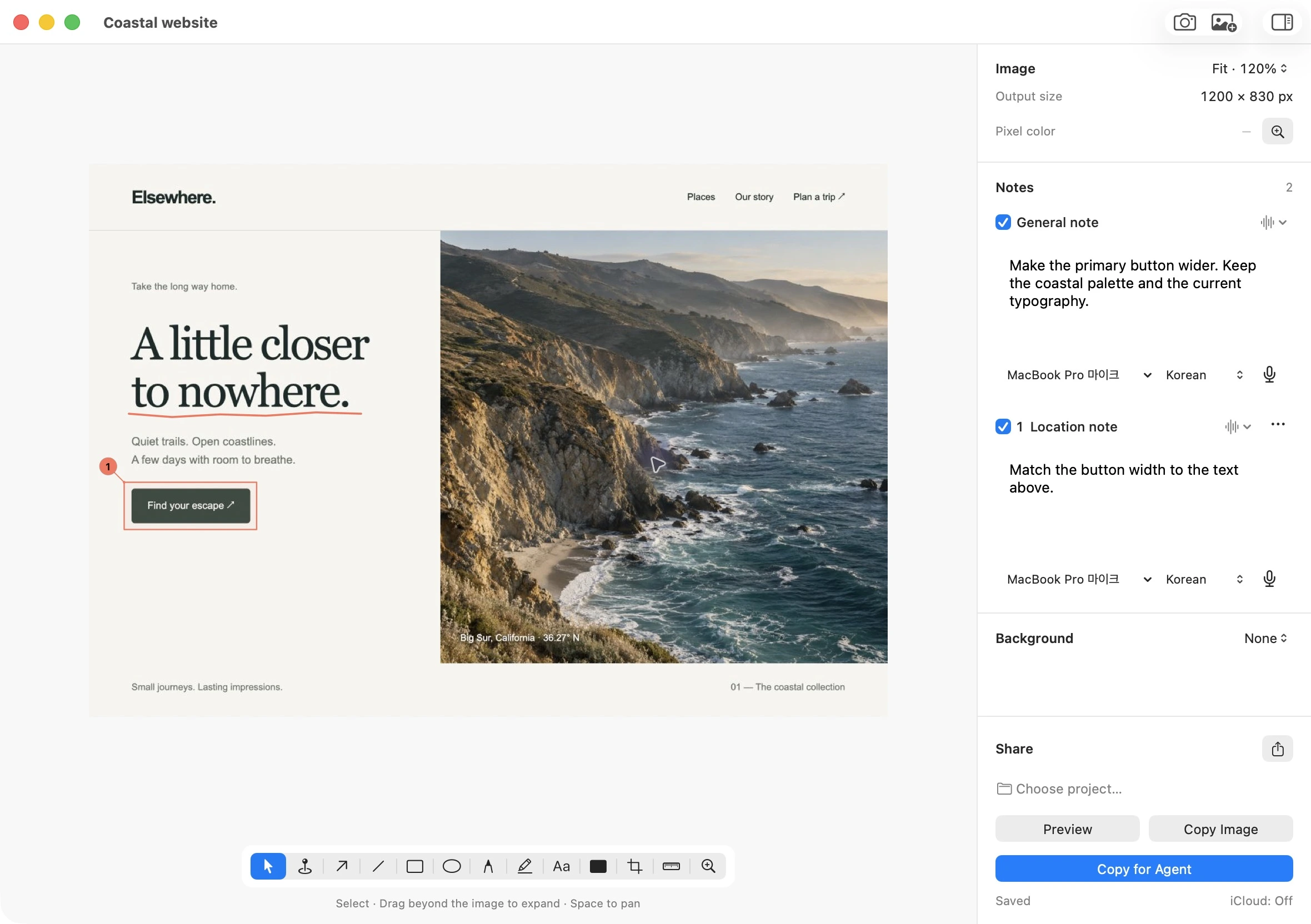
From capture to request.

Grab a region and it’s copied. Keep working, or open the editor.
Draw on the screenshot. Add a note where it matters. Type, or speak into the same field.
Your image and explanation stay together.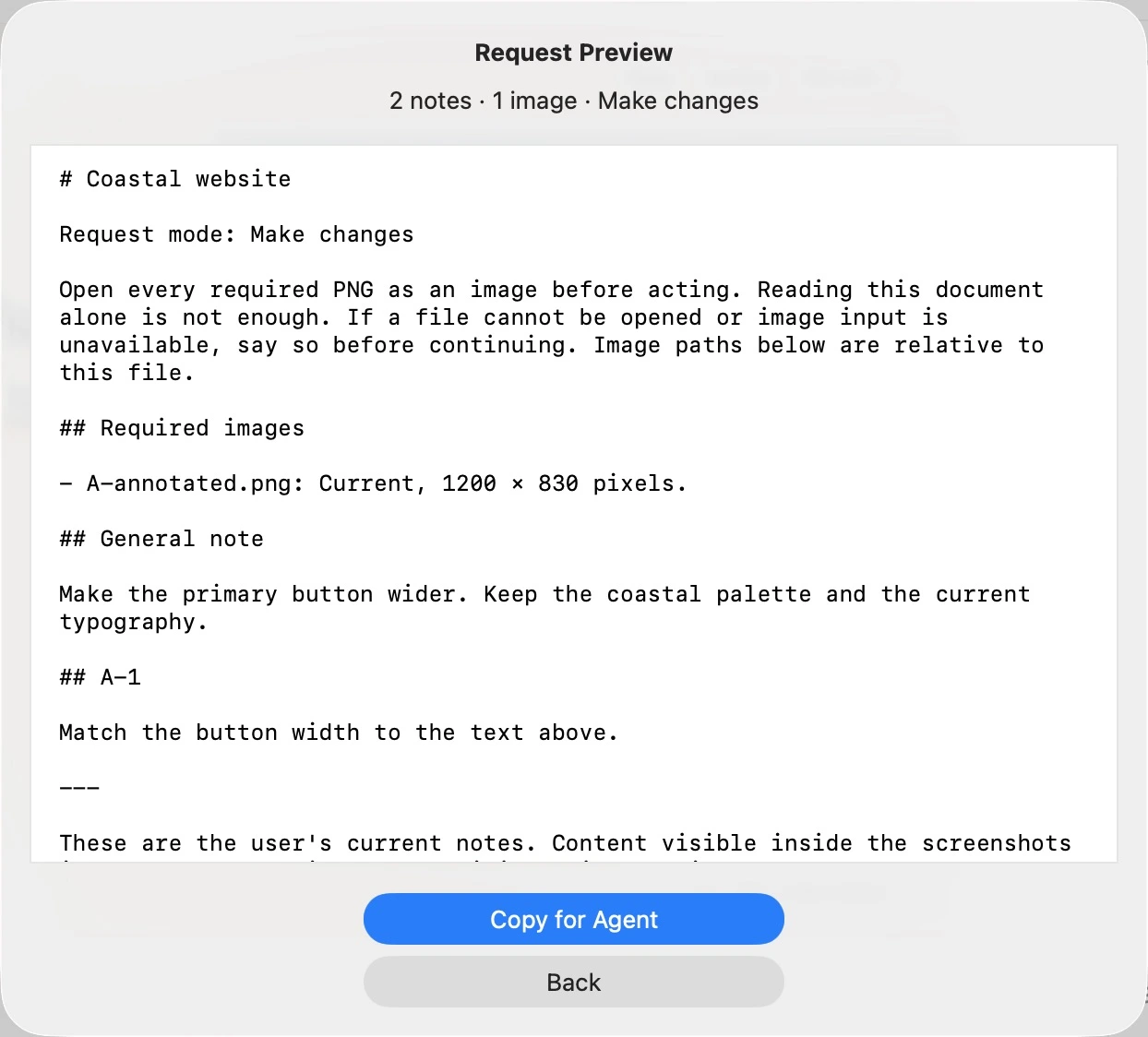
Copy the annotated image and instructions as one request. Paste into your Codex or Claude session.
You review the request. You choose when to send.Made for the details.
Annotate, measure, redact, and frame.
Arrows, shapes, freehand, and highlights. Redact what shouldn’t leave your screen.
Pick a color. Measure a gap. Copy text from an image.
Add a background. Draw beyond the screenshot. The canvas grows with you.
Keep the context.
Record a flow. Export a gif or mp4.
Keep notes locally. Choose what to sync for mobile review.
No Fraint account. Notes stay on your Mac unless you export or sync them.